
Price Drop sensitivity controls for Product Agents
Set the minimum percentage and optional absolute amount that qualifies as a price drop, per Price Drop agent. Independent thresholds per agent so different product types can use different rules.
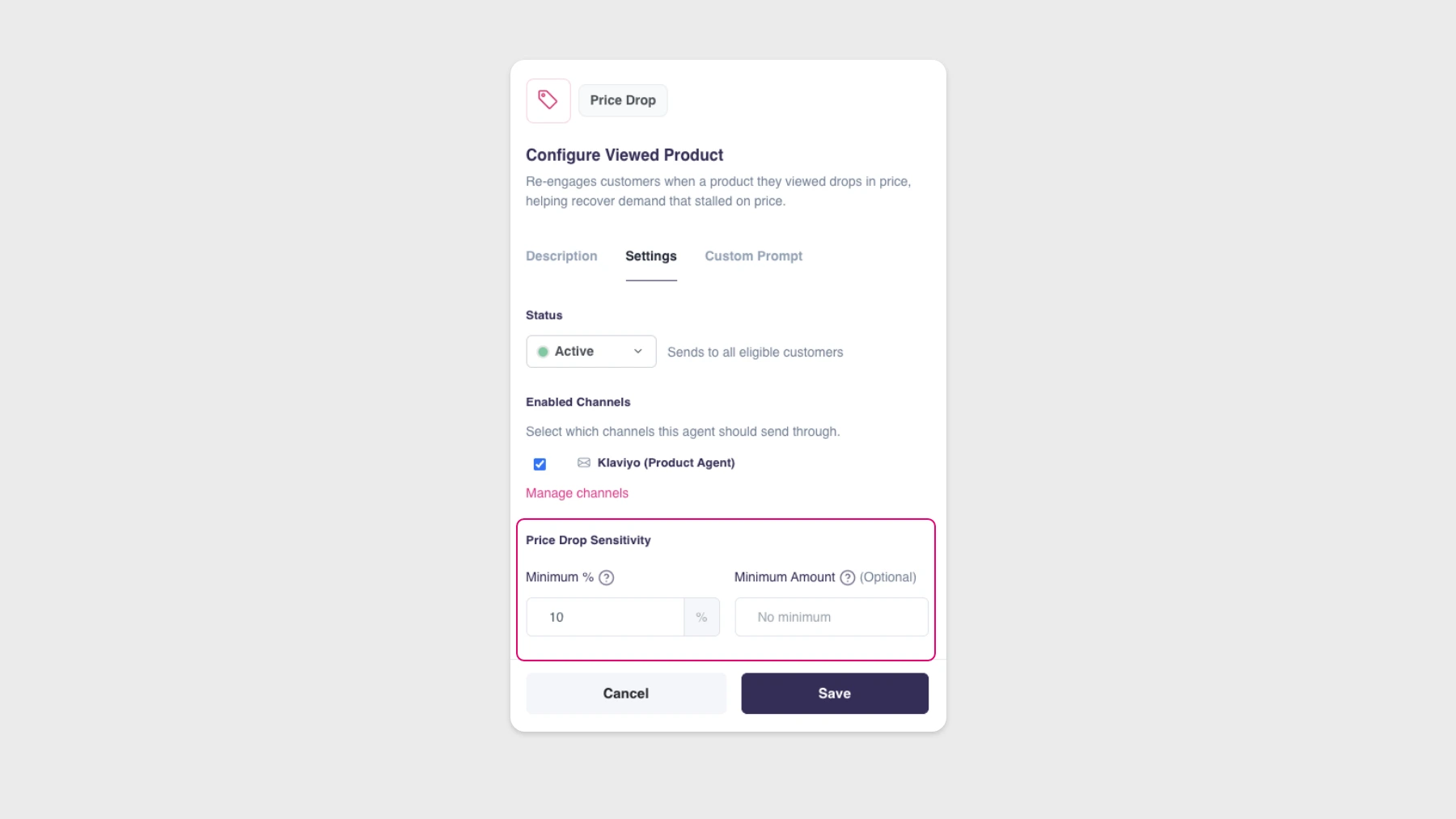
You can now set exactly which price drops trigger a Product Agent email, per Price Drop agent. Two controls live in the Settings tab of any Price Drop agent.
The two controls
- Minimum %. The smallest price reduction that counts as a trigger. Default is 10%. Raise it if you only want bigger discounts to generate emails.
- Minimum Amount (optional). An absolute floor in your store’s currency. Useful when a percentage alone isn’t meaningful, for example a 10% drop on a low-priced item. When both are set, both conditions must be met.
How it works
Each Price Drop agent (Price Drop Viewed, Price Drop Alternative, Price Drop Replenishment) is configured independently, so different product types can run on different rules. Set tight thresholds for accessories, looser ones for high-ticket items, or whatever matches your merchandising strategy.
Changes apply to future price drops only. Already-scheduled messages aren’t affected.
Where to find it
Open any Price Drop agent → Settings tab.
Availability
Available to all Hello Retail customers using Product Agents.