Pin or exclude products in Alternatives and Bought Together
Pinned Products lets merchandisers override Recommendations by pinning products that should always appear together, or blacklisting products that should never appear in the same recommendation box.
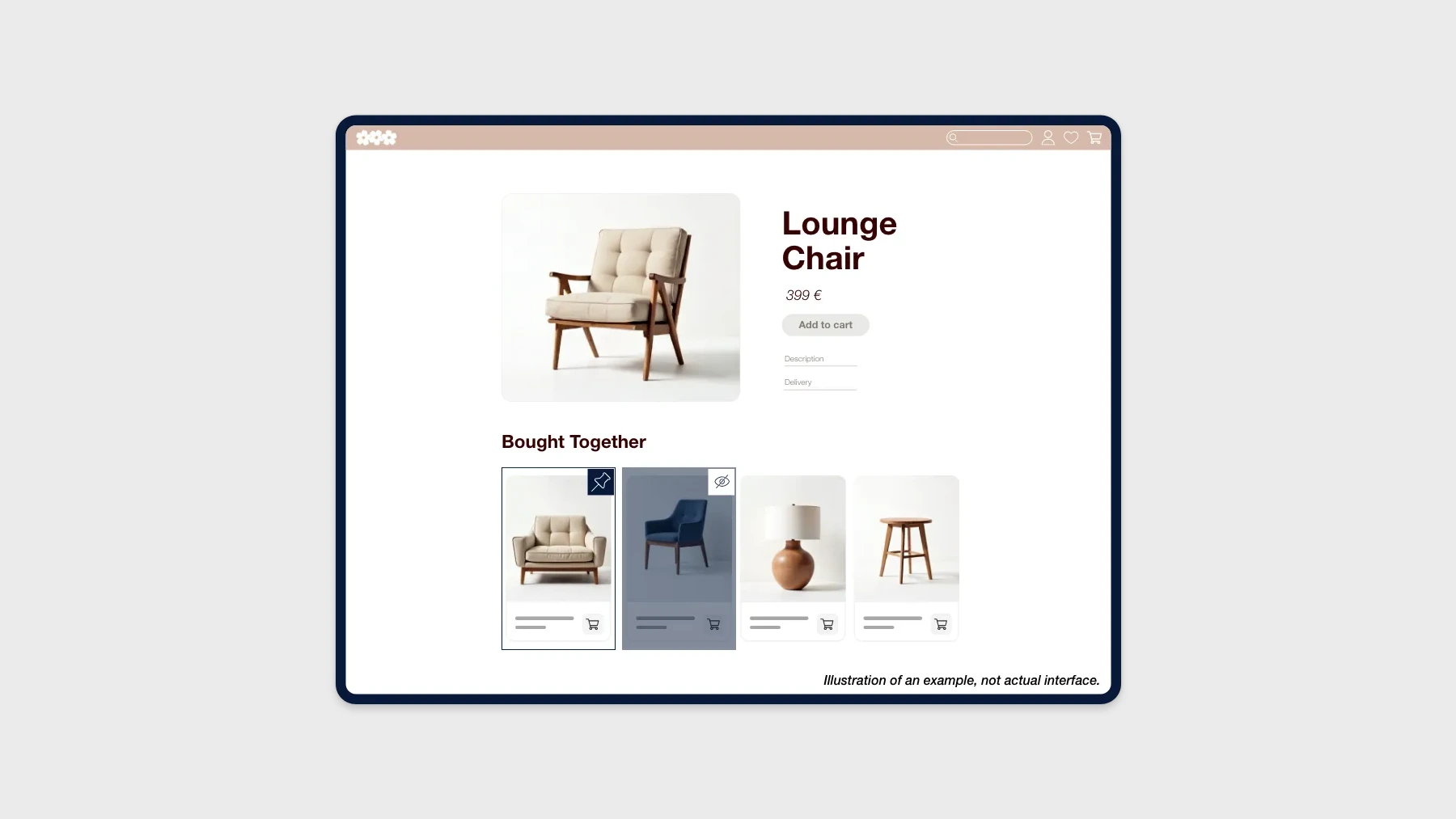
Pinned Products gives merchandisers precise control over Alternatives and Bought Together recommendations. Pin specific products so they always appear together, or blacklist products you never want tied to a specific item.
Why it matters
Recommendations are dynamic by design. That’s usually what you want, but sometimes it’s not: a hero product needs to be paired with its must-have accessory, a discontinued model should disappear from every recommendation box, or a cross-brand item should never show alongside a flagship SKU. Pinned Products gives you that override without leaving the algorithm-driven model behind.
What’s new
- Pin products so they always appear together in Alternatives and Bought Together recommendations.
- Blacklist products you want to keep out of a specific item’s recommendation boxes.
- Visual editor with a search bar and product cards, so curation happens in the UI rather than in a spreadsheet.
How it works
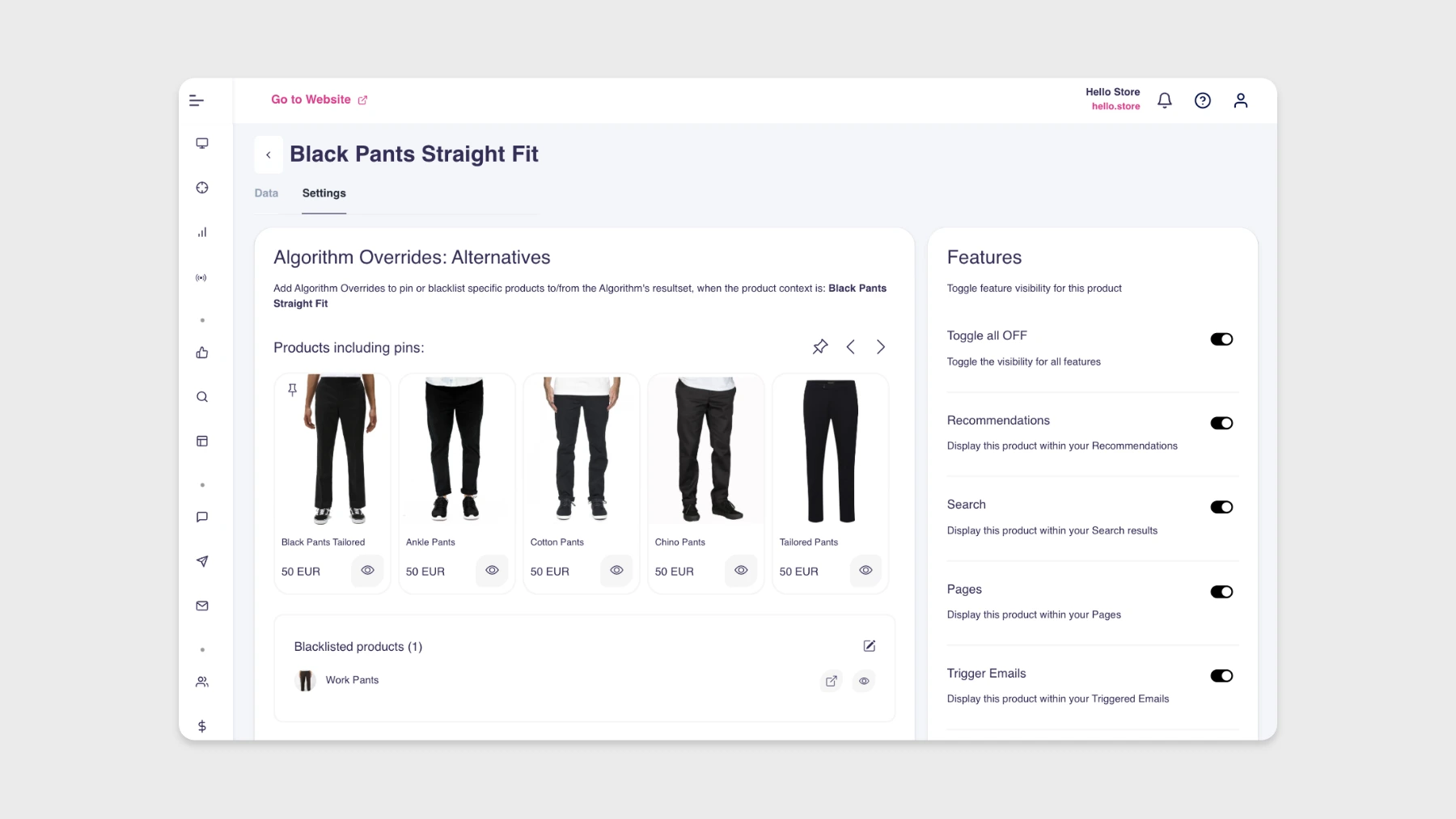
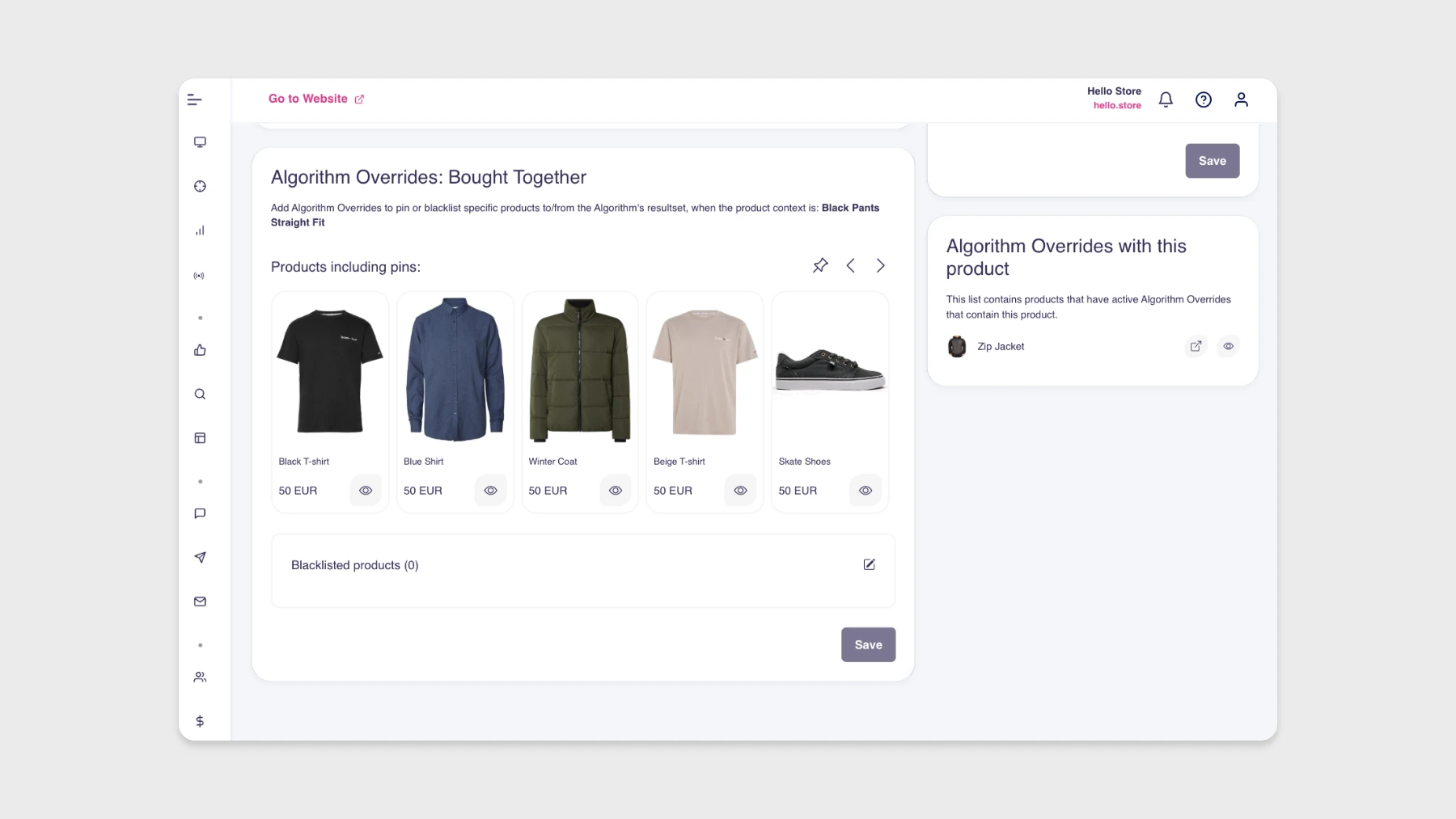
Pinned Products lives in the product editor, under Lookup → Products → Settings. Each product has two sections: Algorithm Overrides: Alternatives and Algorithm Overrides: Bought Together. You can pin products that should always show together, or exclude products by blacklisting them.
Common scenarios
- Pair matching designs. Pin different colors or variants of a T-shirt so they always show as alternatives.
- Promote cross-sells. Pin a matching hoodie with a T-shirt to drive set purchases.
- Build complete looks. Pair complementary items that round out a brand story.
- Exclude incompatible parts. Blacklist items that should never be used together.
- Hide outdated SKUs. Remove discontinued products or items from a different brand from recommendation spots.
Things to know
Global or local filters are evaluated after pinned products are inserted, so a pinned product can be added first and then removed by a filter. Keep manual pins and blacklists limited so the algorithms can keep optimizing for relevance dynamically.
Availability
Available to all Hello Retail customers with Recommendations.