We just made personalization in CRO a lot smarter for your store
We’ve just rolled out some powerful updates across our Conversion Rate Optimization (CRO) suite, and they open up a whole new layer of personalization. These changes give ecommerce teams much more control over how they tailor the shopping experience, with more precision and flexibility than ever.
Here’s what’s new, and how to make the most of it.
Quick guide to key terms:
User Bias: A data profile of what a shopper tends to prefer, based on their on-site behavior (what they clicked, viewed or bought).
Custom Attributes: Additional product data fields like brand, material, or color.
List-Based Attributes (Extra Data Lists): Attributes that can contain multiple values for a single product, for example multiple color variations, or sizes.
Budget Zones: AI-driven segments that group products by their price levels. Used to show products that align with shopper price preferences.
Product Clusters: Groups of related products generated by Hello Retail’s Product Intelligence, not dependent on your product category data. Useful when your catalog taxonomy is limited or messy.
Personalized Boosts: Settings within Hello Retail’s configuration tools that let you promote or prioritize certain products based on user behavior.
1. Use custom product attributes to personalize recommendations & emails
Your product catalog holds more than just names and prices. It often includes rich data points like material, brand, flavor, or season. These are called custom attributes, and they help define what makes each product unique.
As shoppers browse your site, Hello Retail learns what they tend to prefer, for example, clicking more on certain colors, brands, or categories. These preferences are captured as a user bias.
Now, you can use both custom attributes and user bias to personalize Product Recommendations and Emails. The result: every shopper sees content that fits their current interests, while they’re still actively shopping.
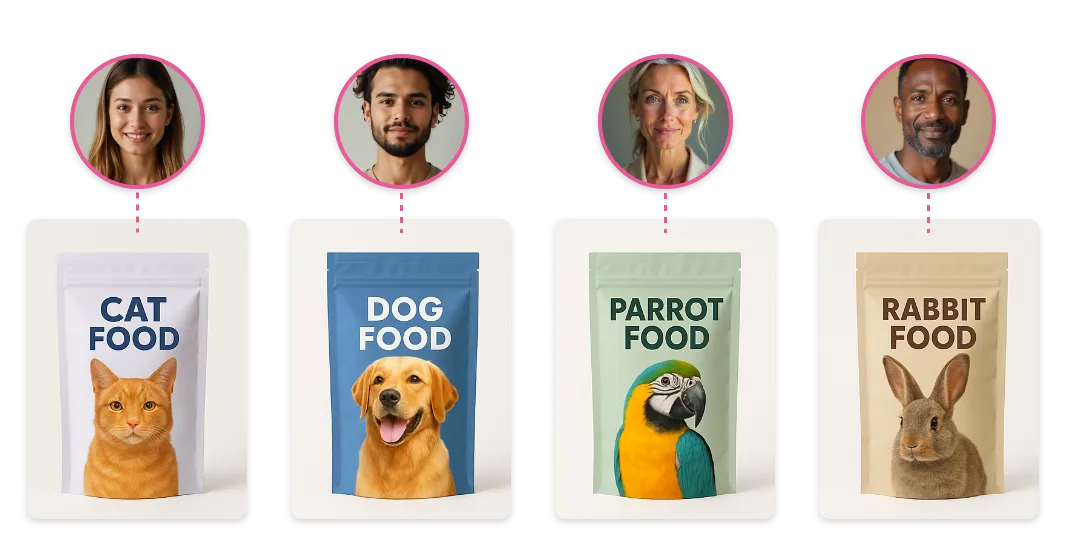
A practical example:
Let’s say your store sells pet supplies. So, you have food that is different by pet type, like food for dogs, cats, birds, etc. You can now use that to recommend the right products.
This works especially well for your front page.
Here’s a quick setup:
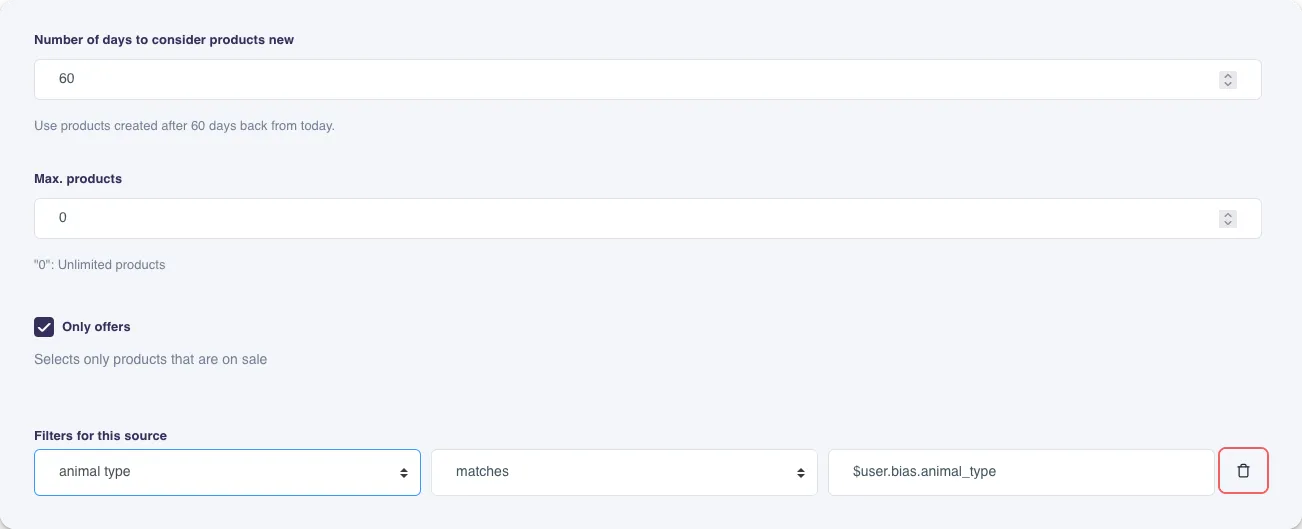
Show recommendations with new products:
- Create a recommendation box using the “Recently Created” algorithm.
- Set how many days count as “new” (e.g. 60 days).
- Add a filter that matches the user’s bias toward a specific animal type.
- Add a fallback rule to make sure there’s always something relevant to show.
This feature is live and available for all Recommendations and Newsletter Content plans.
In short:
You can now personalize product recommendations and email content using your own catalog fields, like style, material, or occasion, matched with each shopper’s preferences. It’s now much easier to show the right products to the right people.
2. Smarter personalization with list-based attributes
Many products in your catalog don’t just have one attribute, they have several. A t-shirt might come in three sizes, or a chair in five colors.
These are what we call list-based attributes, and they’re stored as Extra Data Lists in Hello Retail.
Now, personalization for search and recommendations supports these attributes too.
This means you can now tailor results based on combinations of values, not just single tags.
For example:
- Colors (red, green, blue)
- Sizes (S, M, L)
- Features (e.g. waterproof, recycled, breathable)
A practical example:
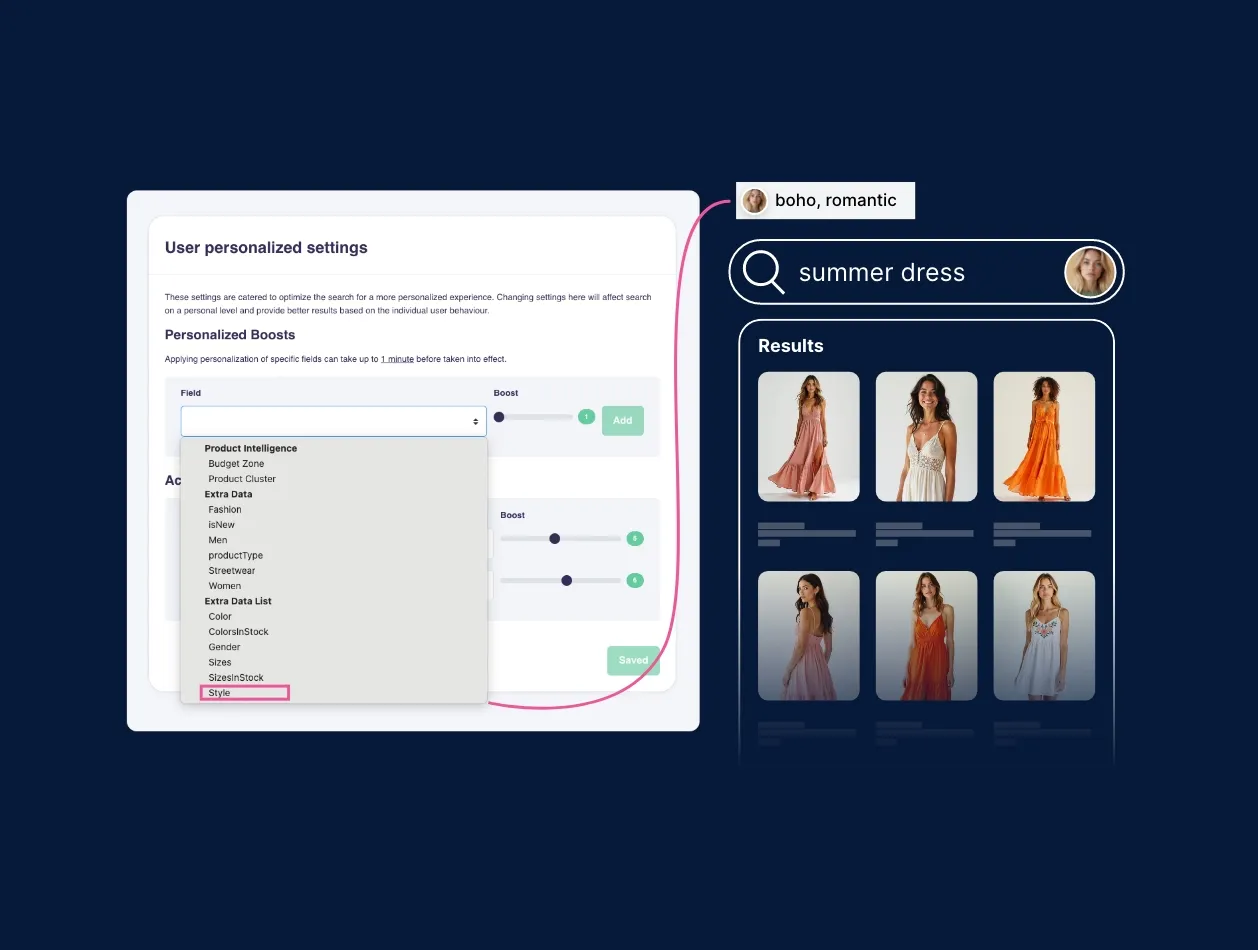
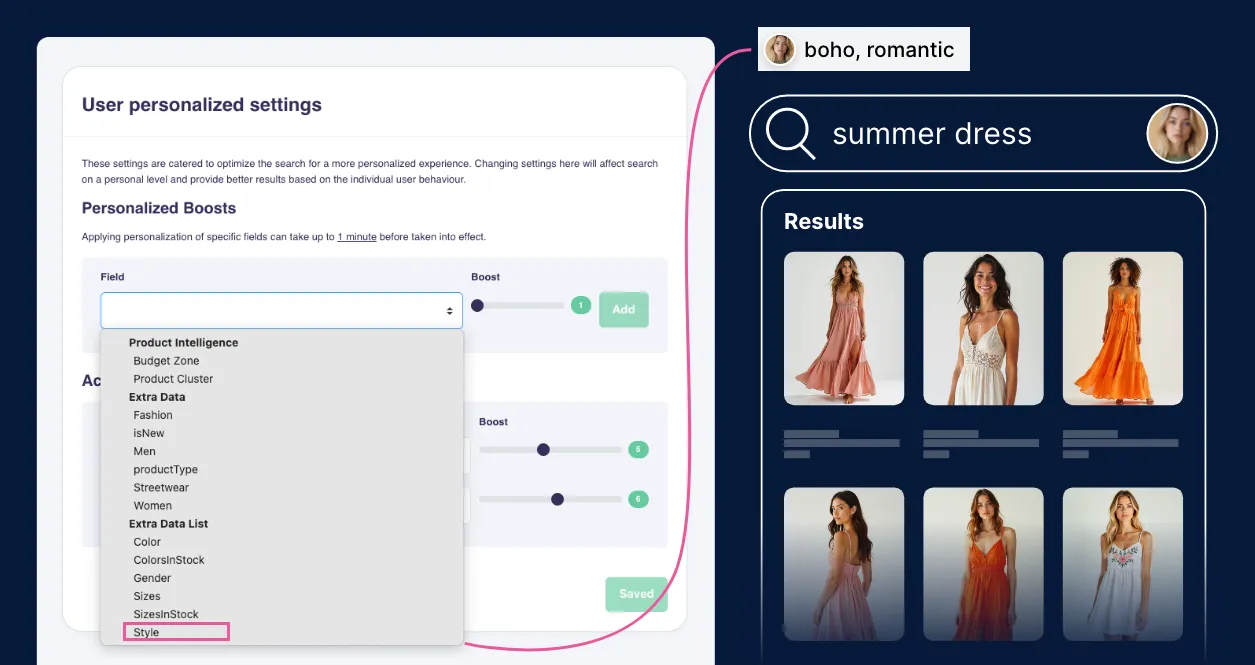
Imagine you’re selling fashion items, and your dresses include the attribute Style, with values like minimalist, romantic, sustainable, or boho.
One shopper tends to engage with items labeled “sustainable” and “minimalist.” Another clicks more often on pieces tagged “boho” and “romantic.”
With list-based personalization, your search results adapt accordingly. If both users search for summer dress, they’ll each see options that reflect their style bias, even if those keywords aren’t part of the search.
See below the example of Search configuration settings.
Search: Available with the Enterprise plan. Please let us know if you want to explore it for your store. Contact us
Recommendations and Newsletter Content: Available with all plans.
In short:
If a product has more than one value (like multiple colors, or styles), Hello Retail can now personalize based on those combinations. So shoppers see results that better match what they’ve been browsing, even if they didn’t search for it directly.
Bonus tip: How to use the Hello Retail AI attributes
Not all personalization relies on product tags or category data. Hello Retail’s AI-powered attributes, Budget Zones and Product Clusters, give you additional ways to tailor the shopper experience, even when your catalog data isn’t perfect.
1. Budget Zones: Personalize by price sensitivity
Price matters, and shoppers often have a rough idea of what they’re willing to spend. Budget Zones help you personalize recommendations and search based on a shopper’s typical price range.
Try this on your front page:
- Create a recommendation box using the “Products Viewed Together” algorithm.
- (Optional) Enable “Only Offers” to highlight discounted items.
- Add a filter that matches the shopper’s budget zone.
This setup highlights products that are both relevant and within budget, especially effective when paired with items a user has already viewed.
Learn more about Budget Zones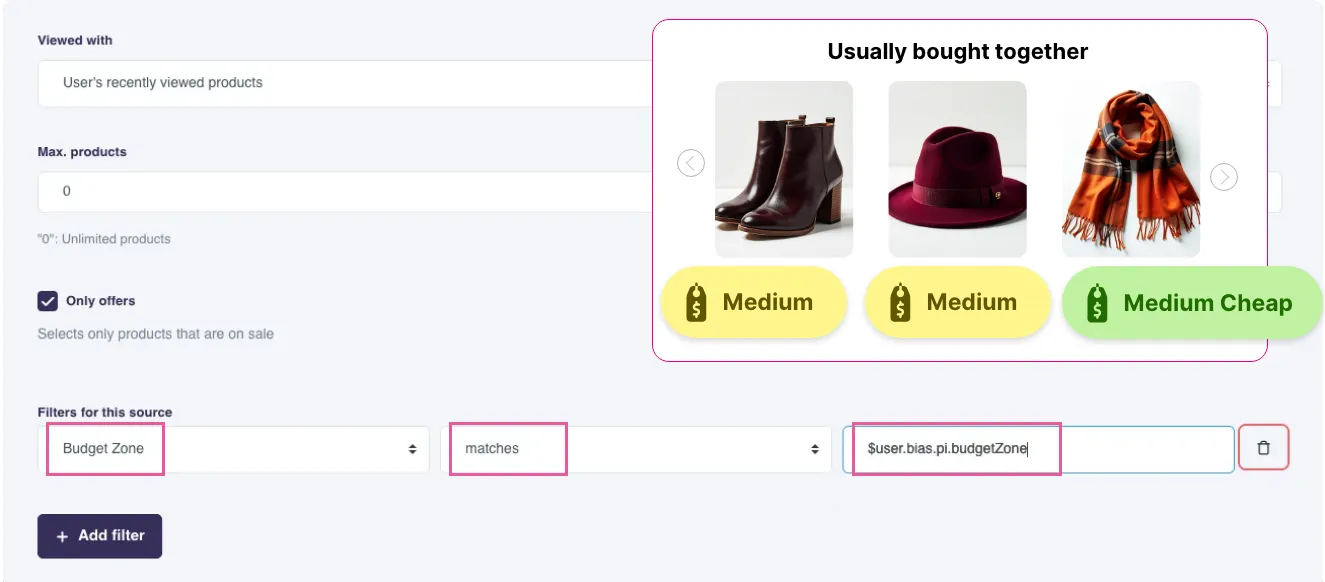
This feature is live and available for all Recommendations and Newsletter Content plans.
In short:
Budget Zones automatically group products based on their price levels, so you can easily personalize product recommendations and search to align with a shopper’s spending expectations.
2. Product Clusters: Smarter product grouping without clean categories
If your product categories aren’t consistent, or some items don’t fit neatly into a single one, Product Clusters can help.
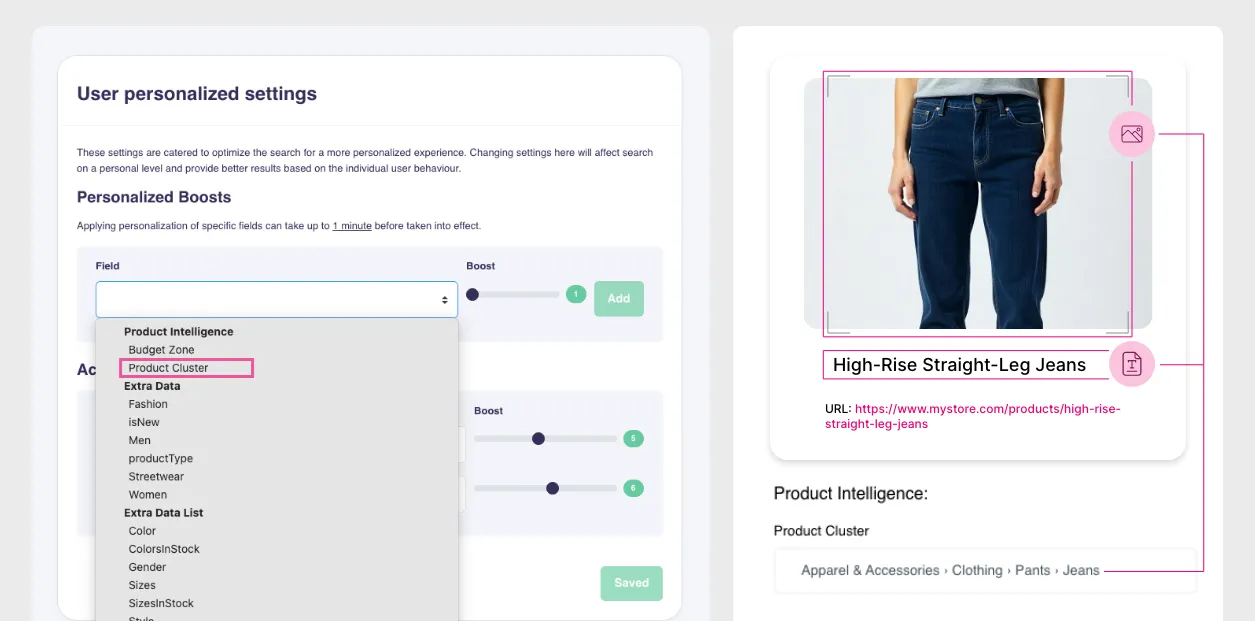
Clusters group similar products together automatically, using Hello Retail’s Product Intelligence. This doesn’t depend on how your category data is set up. It just looks at what the products are, how they’re described, and how shoppers interact with them.
To use them:
- In Search and Pages, just select the relevant Product Cluster under Personalized Boosts.
- No manual mapping needed, just better grouping, out of the box.
This gives shoppers a more coherent experience, even when the underlying structure isn’t perfect.
This feature is live and available for all Recommendations and Newsletter Content plans.
In short:
If your categories are vague, inconsistent, or just missing, Hello Retail automatically analyzes your products and assigns them to Product Clusters you can use for optimization and personalization.
Keep reading
 Solutions
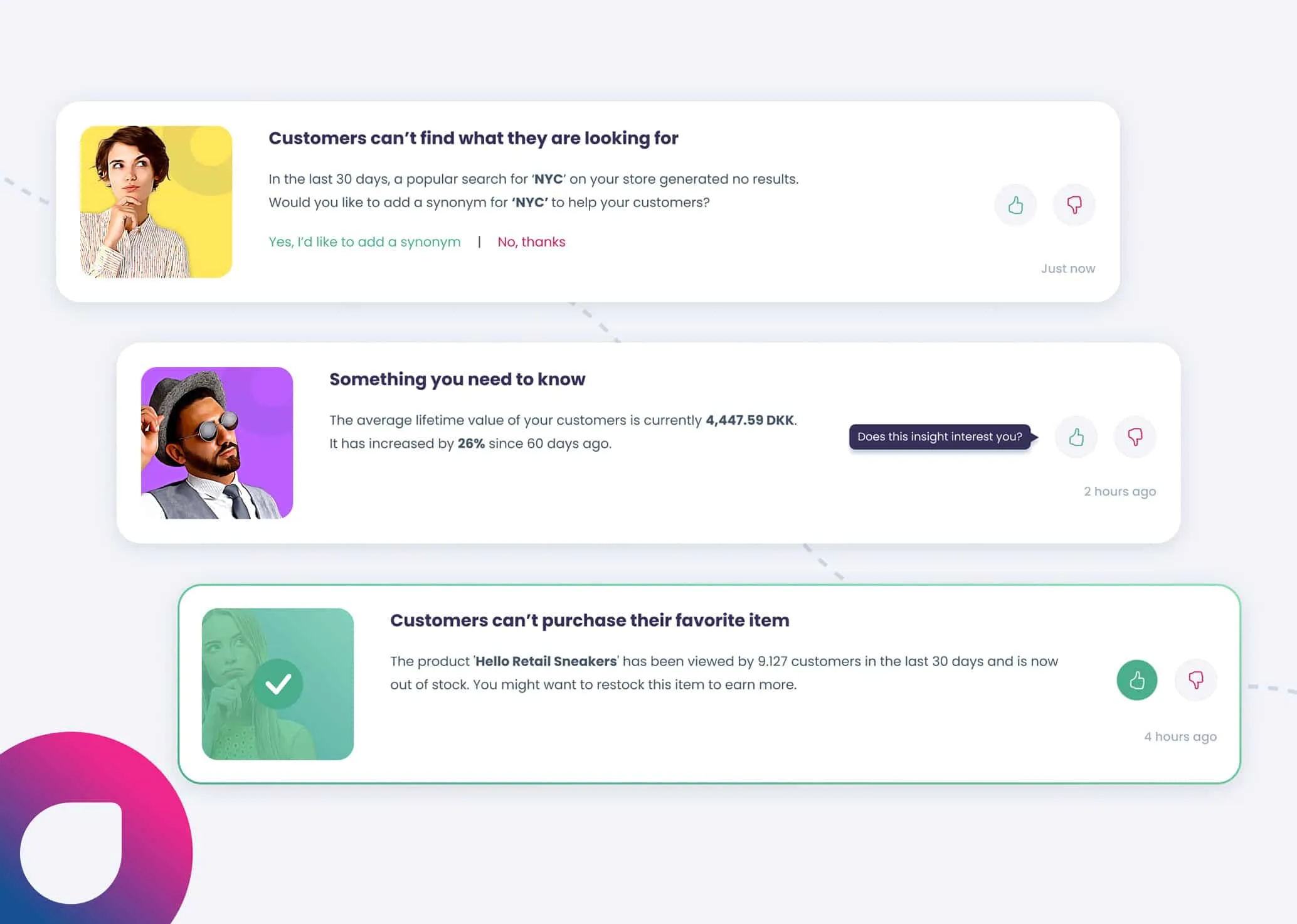
Insights – Analytics made simple
Meet Insights, a smarter & simpler way to be presented with the top findings for your e-commerce store. All Hello Retail customers can now access this feature within MyHelloRetail.
 Solutions
Banner creation demo: Building retail media campaigns with the inspiration catalog
Hello Retail's Retail Media banner creator builds and launches on-site campaigns in minutes, with AI imagery, multi-size output, and an inspiration catalog of ready-made use cases.