Banner creation demo: Building retail media campaigns with the inspiration catalog
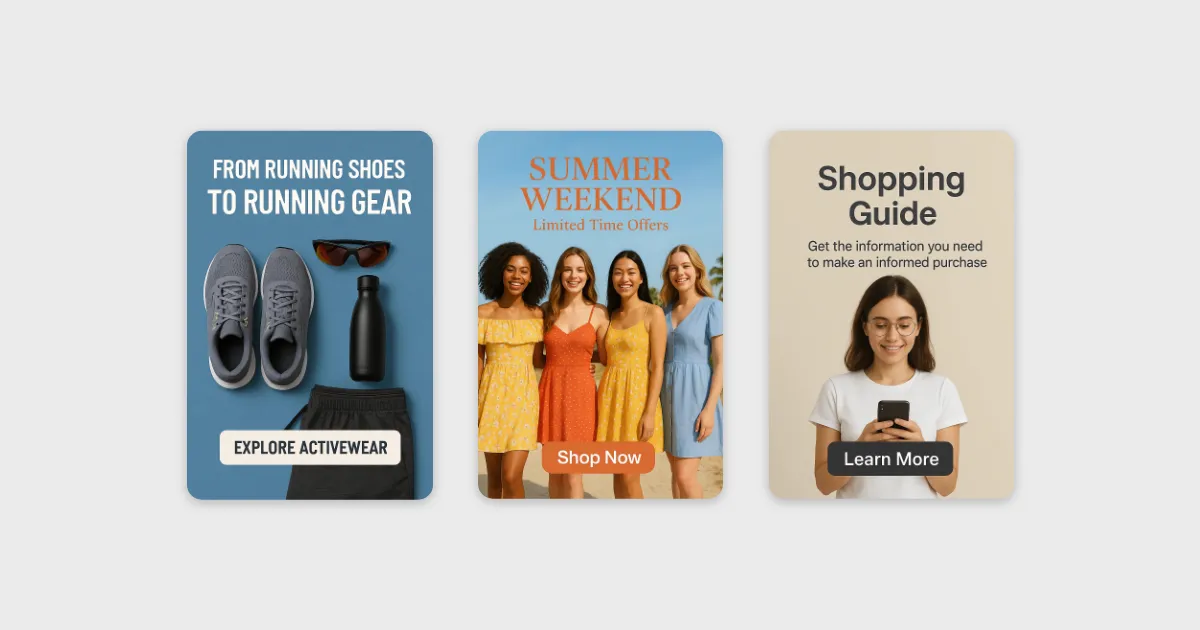
Hello Retail’s Retail Media banner creator lets ecommerce teams build and launch on-site banner campaigns in minutes, using AI-generated imagery, multi-size output, and an inspiration catalog of ready-made use cases and prompts. From product launches to category linking to service promotions, the tool covers the full range of retail media banner needs - and the inspiration catalog removes the blank-canvas problem by surfacing exactly which campaigns to run.
Two banner formats, one purpose
Since Hello Retail launched banners in June, two distinct formats have settled into regular use across customer stores. The first is the CTA-focused banner: a clean, click-driven creative with a prominent call to action at the center, designed to pull shoppers toward a specific offer or page. The second is the product campaign banner, which leads with product imagery to link shoppers between related categories or spotlight a current range.
Both formats serve the same underlying objective - connecting the right shopper to the right message at a relevant moment in their browsing session. What has evolved since launch is the flexibility around where a banner can appear, which recommendation context it runs in, and how teams can safely preview how it looks inside their actual store before it goes live.
Retail media as a channel has earned that attention. McKinsey’s retail media research shows that retailers building out ad networks can achieve EBIT margins of 70-90% on their advertising revenue - a figure that makes on-site placements one of the highest-margin activities available to any ecommerce operator.
The inspiration catalog: From blank canvas to running campaign
The most significant addition to the banner toolset is the inspiration catalog. Before it existed, starting a banner campaign required knowing what you wanted to create before you opened the tool. That works fine for large marketing teams with planned campaign calendars. For smaller operations, or for anyone trying to spin up a campaign quickly, it created a real friction point.
The catalog solves that. It presents a set of ready-made campaign archetypes, each with suggested prompts, so a team can move from “I should run a banner” to “here’s exactly what to build and how” - without staring at an empty prompt field.
Use cases currently in the catalog include:
- Product launch banners: Pre-configured prompts for announcing new arrivals with product imagery and a direct CTA, so the campaign brief practically writes itself.
- Category linking banners: Templates for guiding shoppers from one store section into a related category - useful for cross-sell and improving navigation paths between complementary ranges.
- Service promotion banners: A frequently overlooked format for stores that sell add-on services alongside physical products. Banners promoting services like installation, warranty, or express delivery give those offers visibility on the pages where they are most contextually relevant.
The IAB’s retail media guidance consistently reinforces that contextual relevance is the primary driver of on-site banner performance. The inspiration catalog builds this principle in by default: every archetype is anchored to a specific moment in the shopper journey, making each banner relevant by design rather than by chance.
Inside the three-minute demo
The release walkthrough showed a full banner campaign built from scratch using Hello Retail’s banner creator. The goal: an end-of-summer sale, ready to run in search results, with AI-generated imagery and no pre-existing design files.
The steps:
- Name and launch. Create the campaign (“end of summer campaign”) and choose between pre-made images supplied by a marketing team or fully AI-generated imagery.
- Upload a reference image. A Hawaiian shirt product image was selected as a visual anchor, giving the AI a clear signal about which product type and aesthetic to center the creative on.
- Write the prompt. A short text prompt described the desired scene: a tropical beach setting, “end of summer sale, 50% off,” and a red CTA button reading “buy now.”
- Generate. Within a few minutes, the AI returned banner variants in every size the store uses - no manual resizing or format conversion required.
- Set product relevancy. The campaign was scoped to appear alongside Hawaiian shirts and swimming shorts, so it surfaces for searches like “shirts” or “swimming trunks.”
- Add the destination URL. A campaign landing page was attached so every banner click routes directly to the sale page.
- Preview live. Searching “Hawaii” in the store confirmed the banner was appearing correctly within search results, with placement and visual fit verified before publish.
Total time from blank campaign to confirmed preview: three minutes.
Speed matters here in a real way. eMarketer projects US retail media ad spending will exceed $54 billion by 2026, and the brands positioned to capture that growth are those that can turn around seasonal and trend-driven campaigns fast enough to matter. A three-minute workflow for an end-of-summer campaign is a meaningful advantage when the window for that campaign is counted in weeks, not quarters.
Best practices for banner campaign performance
Alongside the demo, the session covered operational patterns that improve campaign results. These are worth keeping front of mind for any team building out a retail media program.
Spread campaigns across placements. Running multiple campaigns against the same placement slot - say, the second position in search results - creates internal competition for impressions. Each campaign ends up with fewer views than it should get. Mapping campaigns to distinct placements prevents them from undercutting each other over the course of a run.
Use banners to reinforce larger brand and vendor campaigns. When a brand partner is already running a sponsored products campaign, adding visual banners across relevant store sections amplifies the message at no incremental media cost. The visual repetition improves recall, and the banner becomes part of a coherent experience instead of a standalone creative.
Target specific products and categories. Tight targeting consistently outperforms broad targeting for banner campaigns. A direct match between banner message and product context removes a decision step for the shopper - they see something relevant, click, and arrive exactly where the creative pointed them.
Salesforce’s State of Marketing found that 51% of marketing teams have already adopted generative AI for content production, with speed of asset creation cited as the most common driver. The Hello Retail banner workflow is designed for exactly that pressure: less time on production, more time on the campaign strategy that actually moves the needle.
Teams looking to explore retail media banners can speak with their Hello Retail customer success manager directly, or book a one-on-one demo session through the Hello Retail website.
Keep reading
 Solutions
 Retail media banners: What they are and why personalization makes them work
Retail media banners are personalized on-site ad placements inside the customer journey, serving sponsored campaigns via first-party behavioral data without developer involvement.
 Solutions
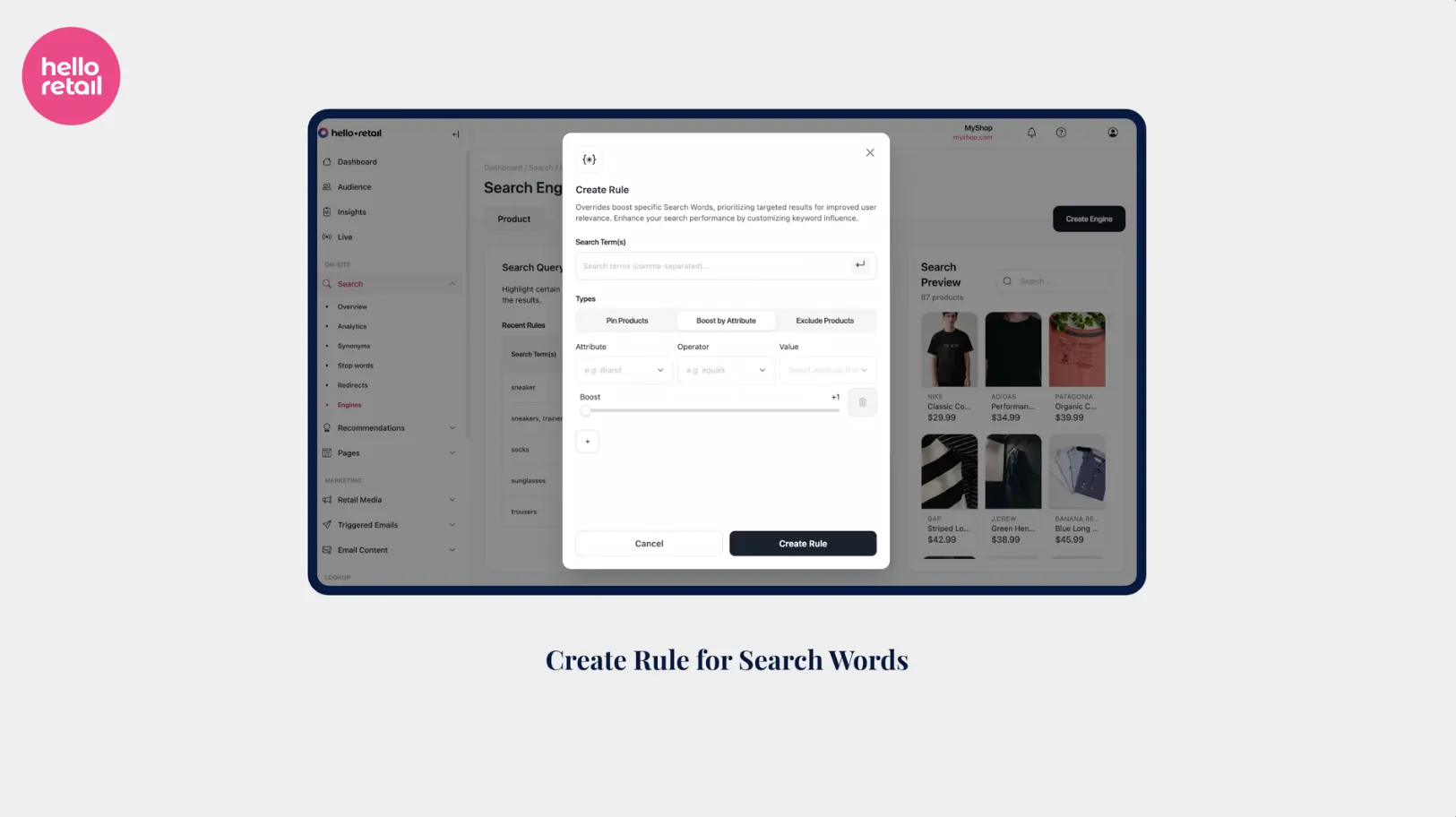
 Search word boosting: Granular control over your search results
Search word boosting lets Hello Retail merchants pin products, boost brand attributes, and deprioritize poor-fit results for any individual search term.